
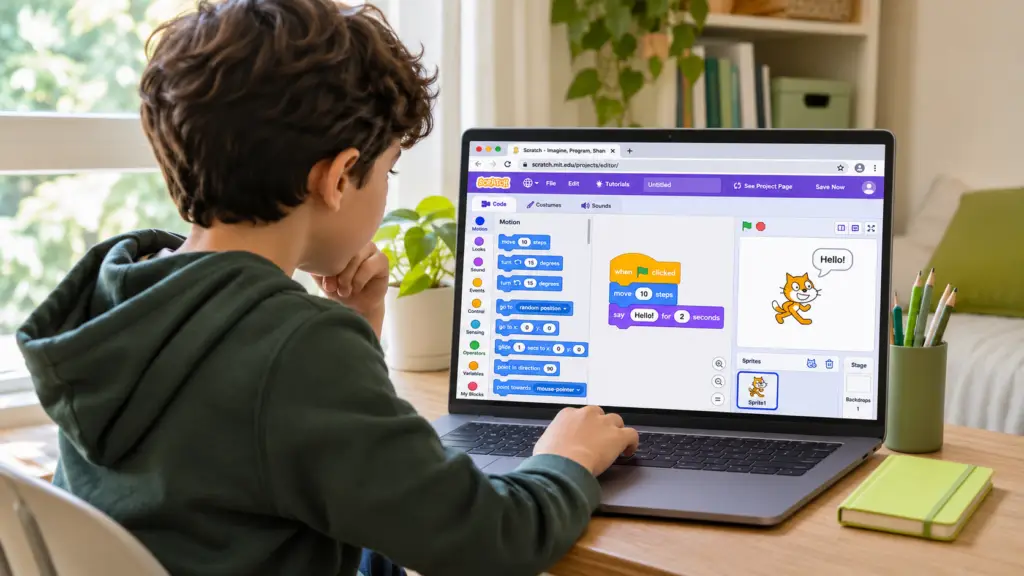
The first time a child clicks the green flag in Scratch, a few blocks on the screen become instructions they can watch unfold. The familiar orange cat takes ten steps, then a speech bubble appears with “Hello!” for two seconds. It’s a small project with a clear purpose. The child chooses when the action begins, puts the movement and greeting in order, and runs the sequence. A parent watching alongside can follow every decision as the scene comes together.
The most interesting part often comes on the second run. Ten steps may barely move the cat across the stage, so the child can predict what twenty steps will do and test the idea. If the cat greets the audience before it moves, the child can swap the two blocks and watch the scene again. Changing one instruction at a time makes the result easier to explain and gives the child a simple way to investigate when something unexpected happens.
A first Scratch project is ready to share when the child can show someone else how it works. They might point to the green flag, explain why the greeting comes after the movement, or demonstrate how to make the cat travel farther. From there, a different character or a line of dialogue they invent can turn the same sequence into a scene of their own. That sense of ownership gives the next coding lesson a natural starting point.
For an activity to try at home, explore Animate a Name from the Scratch Foundation.